
One Studio / Clean look across your Shopify catalog, from each product's hero photo
I aligned product cards in one Bulk Look AI run: filter SKUs with a main image, Studio / Clean, a shot set, max credits before generate, then review before anything goes live.
Before a season push or a storefront refresh I need the same clean look on every product card. I am not booking a shoot for the whole catalog. If each SKU in Shopify already has a main photo, I use Bulk Look AI: Product Images and that image as the only reference for new Studio / Clean shots. Same topic: Essentials, Full listing, or Complete:.
The app reads each product’s existing main photo. Items without a main photo are not charged, though they may still show in the list until I skip them during generation. Nothing reaches my storefront until I publish. Billing is prepaid credits, no subscription. New stores get 50 free credits once. Same topic: An AI frame set for.
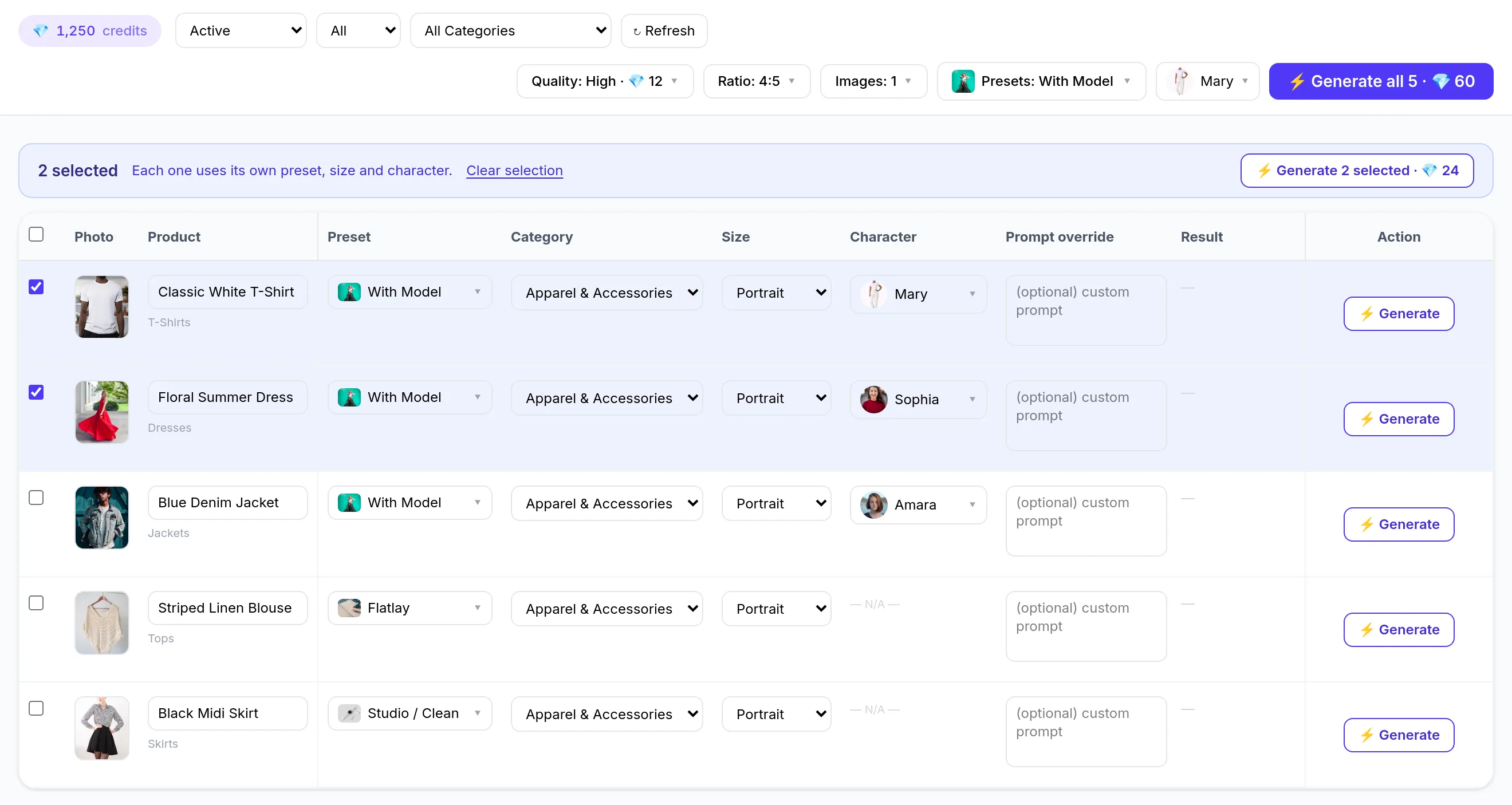
Step 1. Install and open the product table
I install from the Shopify App Store or the product site, then open the in-app product table. Same topic: AI product photos for Shopify,.
By default I often see active and draft products. I narrow the list with status, category, or search so I focus on SKUs that already have a main image. One run can cover up to 2,000 products. When result, category, or search filters are in play, reads are capped at 2,000 products. For a very large catalog I plan multiple runs.
Step 2. One style for the whole catalog
I pick the Studio / Clean preset for a consistent studio background and predictable product presentation. If I want an even more restrained look, the style list also includes Minimalist / Modern as a separate preset (I compare previews on my own SKU before I commit).
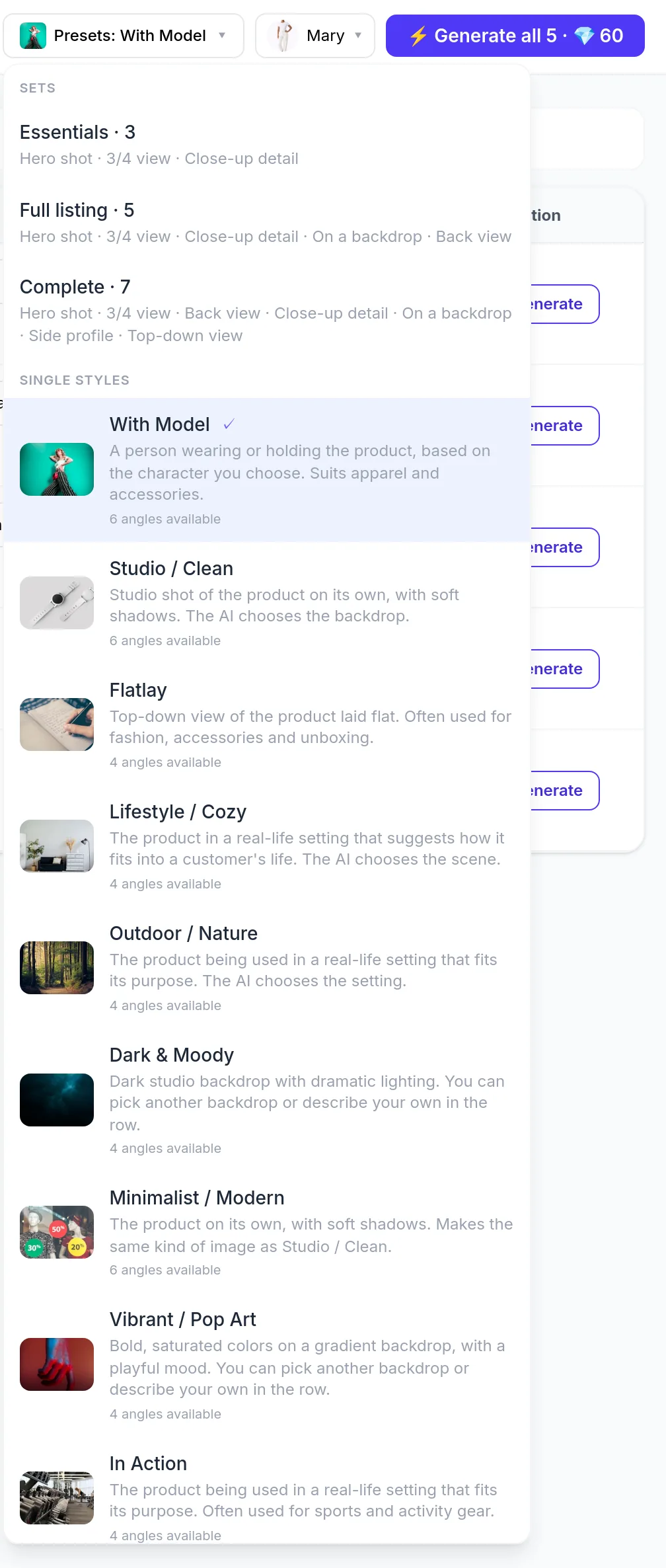
Model styles such as With Model are optional here. For one unified storefront, product-on-background shots are enough for me.
Step 3. Shot set and quality
I decide how many images each product needs:
- Essentials: 3 shots
- Full listing: 5 shots
- Complete: 7 shots
The set may adapt by product category. Default quality is High (2K): 12 credits per image ($0.60 at the $0.05 list price per credit). Medium: 4 credits ($0.20). Ultra: 18 credits ($0.90). Ultra 4K: 24 credits ($1.20). The app does not promise an exact pixel size.
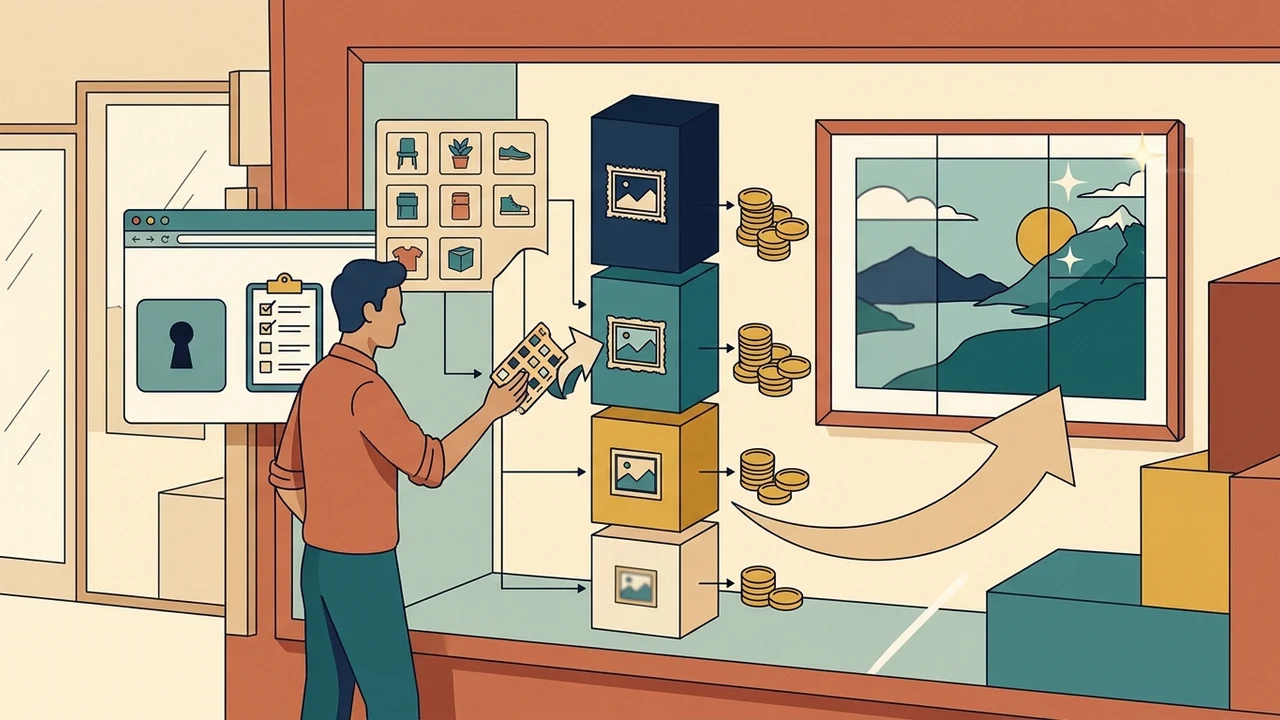
Rough math on my side: products × shots in the set × credits per quality tier. The smallest paid pack is 100 credits for $5.00. Larger packs cost less per credit (up to 75% off on high-volume packs).
Step 4. Confirm with the maximum price
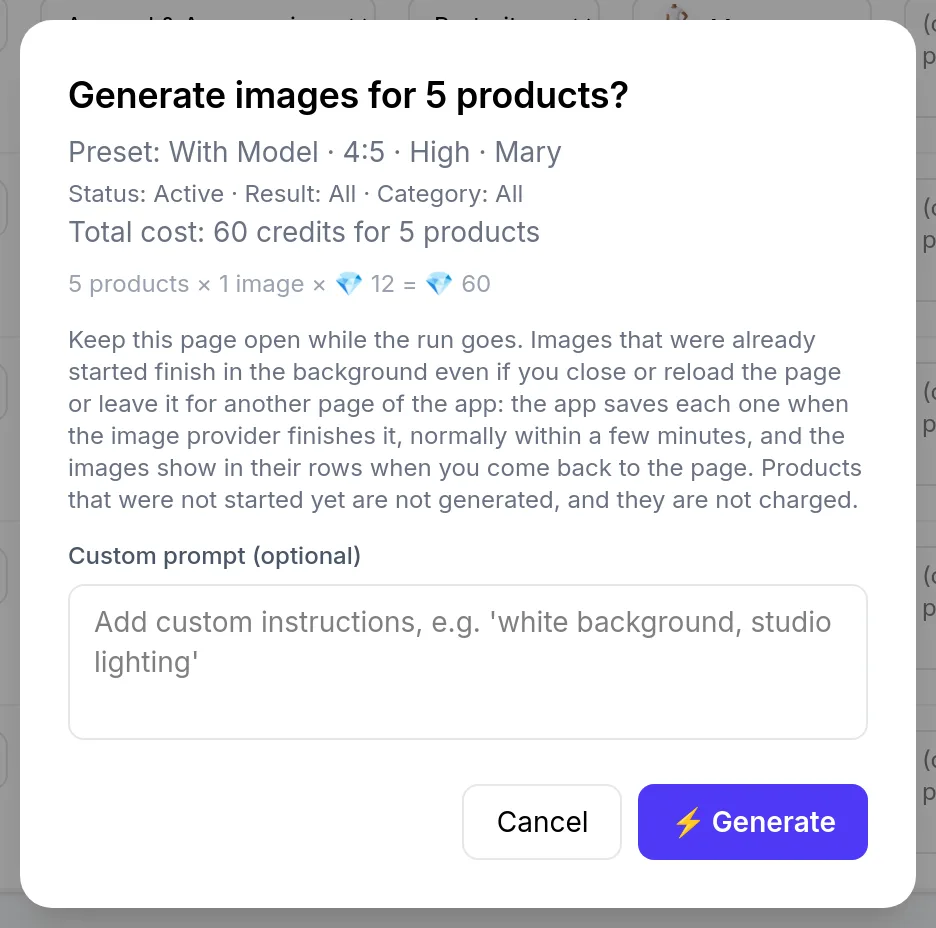
I start bulk generation (for example Generate all on my filtered list). The main button usually shows product count and maximum credit cost before I click. A confirmation screen follows: products × images × price. Canceling spends nothing.
Actual spend can land below the maximum if some SKUs lack a main photo or credits run out mid-run. I expect that.
Step 5. Review before publish
After generation I inspect every image. Output can differ from the real product (color, details, proportions). That is my responsibility toward shoppers. Whether to label images as AI-generated is my call.
Publishing does not use credits. I can add an image as an additional photo or set it as the main image. The previous main image moves down in the gallery and is not deleted. Alt text is built from the product title and style. I edit it in Shopify. Images attach to the product, not a single variant.
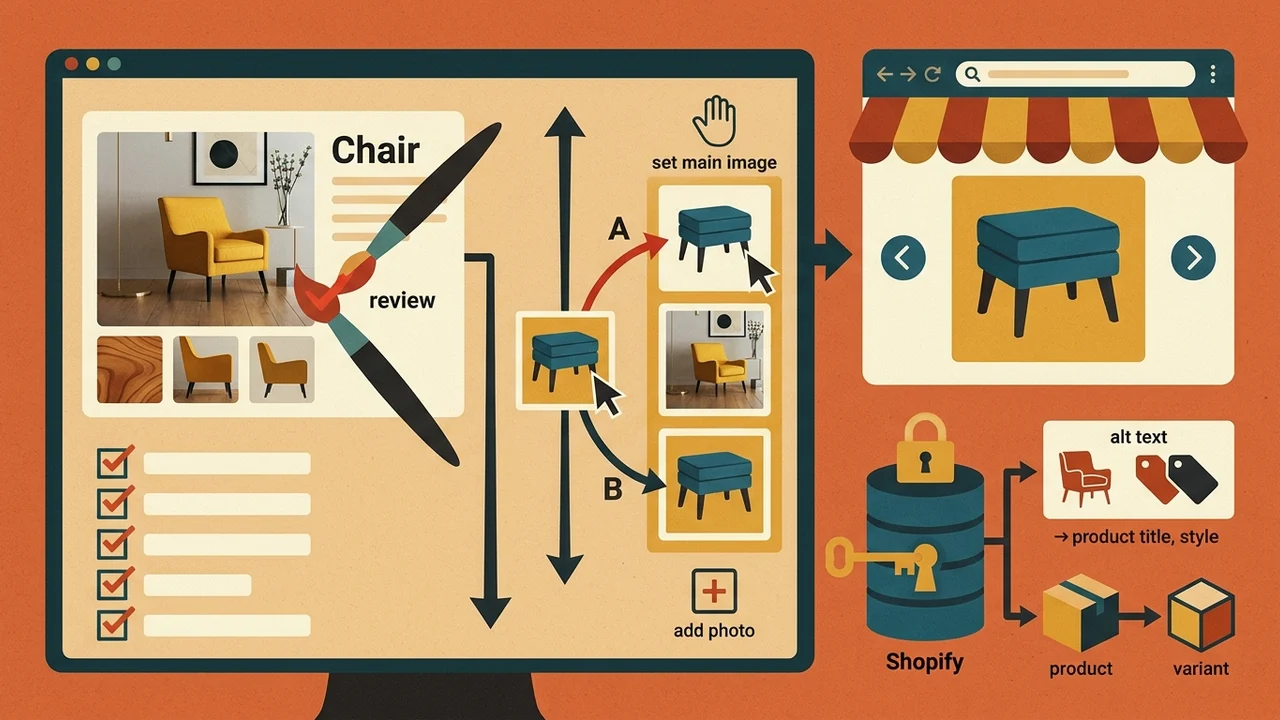
For seasonal work I often keep the most accurate photo as main and add Studio / Clean shots as extras. For a fully unified look I can replace the main image, but then I review accuracy even more carefully.
Video walkthrough
Table workflow, style selection, confirmation, review, and publish are in the YouTube demo. The video may use an on-model example. For this playbook Studio / Clean without a character is enough for me.
Summary
One preset (Studio / Clean, or Minimalist / Modern if I prefer), one shot set across the filtered list, price visible before launch, up to 2,000 SKUs per run. I align catalog imagery from existing hero photos that way, as long as I review every result before publish.