AI product photos for Shopify, from the photos already in your store
Bulk Look AI reads the main photo on each Shopify product and makes a new image from it. Nothing is published until you click.
Your store already has a main photo on each product. AI product photos for Shopify start from that photo. Bulk Look AI reads it and makes a new image: on a model, on a studio background, as a flat lay, or in a lifestyle scene.
Nothing is added to the product until you publish it yourself.
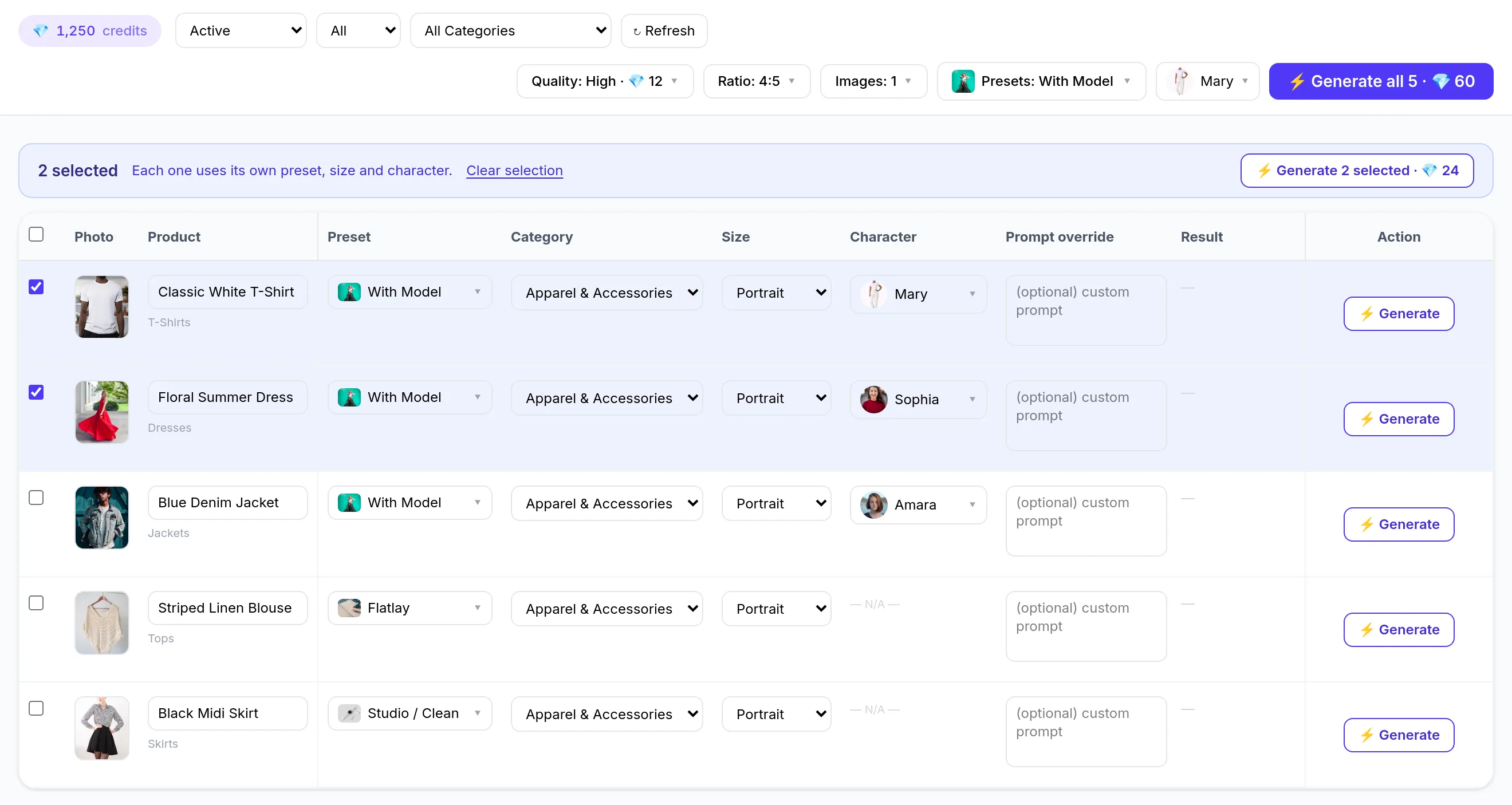
The app opens on a table of your products and their photos. Filter the table, then pick a style or a shot set for one row, or one look for the whole run. You do not upload the catalog again. Uploading is only for a photo of your own model, and only if that person has agreed.
A new store gets 50 free credits once, to try the app. Credits you buy later are separate. The smallest pack is 100 credits for $5.00. There is no subscription and no monthly minimum.
What a new image can be
Nine ready-made styles:
- With Model
- Studio / Clean
- Flatlay
- Lifestyle / Cozy
- Outdoor / Nature
- Dark & Moody
- Minimalist / Modern
- Vibrant / Pop Art
- In Action
Or a shot set. Essentials makes 3 views of one product, Full listing makes 5, and Complete makes 7. The same set changes with the product's category. A clothing product can get a hero on a model, a three-quarter, a full body, a scene, and a close-up. Another product can get a hero, a three-quarter, a close-up, a backdrop, and a back view.
You can add your own instruction to one product or to the whole run. Rows set to Dark & Moody or Vibrant / Pop Art can also take a backdrop you describe.
Before it reaches the store
Open the image, delete the ones you do not want, and publish the rest. Publishing does not spend credits. Add the image as an extra photo, or set it as the main image. The old main photo moves down. It is not deleted and it is not replaced.
The product photo is the reference, and the app is asked to keep the design, colors, and branding. The result can still differ from the real product. Review every image before you publish. You decide whether it needs to be labeled as AI-generated.
Alt text comes from the product title and the style. Change it in Shopify if you want different words. The image is added to the product, not to a single variant.
If the next question is the price of a whole run, see how bulk generation shows the cost before you click. For a scene around a plain packshot, see a lifestyle image from a white background. For clothing on a person, see AI model photos without a shoot.