Fragmented bulk-tools niche: Apify spreadsheet actor, Kive, and BulkImagen for Bubble via BIAIG
Spreadsheet-first tools vs in-app catalog bulk: where prompt and asset truth lives, how to sync batch results into Bubble Data Types, and when external batch engines beat a single 300s workflow.
Why this matters now
The bulk-image niche is fragmented along three axes: spreadsheet in → enriched sheet or ZIP out (Apify Actor, BulkImagen CSV/API), in-app catalog bulk tied to a product library and studio presets (Kive Bulk Generate, March 2026), and SaaS CSV batches with high row caps (OpenArt Bulk Create, up to ~500 images — ecosystem context only; a separate piece covers OpenArt vs BIAIG head-to-head). Bubble builders should ask where truth lives for prompts, SKUs, versions, and URLs — and who merges partial batches when tier caps force splits. Worth reading next: OpenArt Bulk Create (500 CSV. Worth reading next: OpenArt Bulk Create (500 CSV.

BIAIG here is an editorial label for in-Bubble bulk image orchestration: canonical rows in Data Types, an external batch engine, short workflows for submit/poll/import. Scout found no authoritative public product page named “BIAIG”; replace this definition with your internal plugin or pattern name if you ship one. Same topic: Magnific One (Brand Kit +.
Three bulk models
Spreadsheet-first
Apify (fayoussef/bulk-ai-image-generator): upload .xlsx/.csv/.tsv or pass a public Google Sheets link; {{Column}} templates or a prompt column; output results.xlsx with per-row imageUrl, prompt used, and status. REST, clients, and MCP per Apify agent docs — best when truth already lives in a sheet.
BulkImagen: CSV with required prompt column; optional ratio/count; async POST /v1/batches with polling; published tier caps (e.g. max images per batch 10/50/100 on Starter/Studio/Scale per pricing). Fits API Connector + scheduled polling, not one long poll-until-done workflow.
Catalog-in-app
Kive Bulk Generate: pick saved products, one studio preset, per-line overrides at review; credits scale with line items × versions. Docs describe UI bulk, not CSV import; programmatic access is MCP (e.g. generate_product_image per product with polling), not a single bulk HTTP job. Truth sits in Kive’s product library — sync-back is mandatory if Bubble owns the catalog record. Worth reading next: Meta Muse Image on fal.
OpenArt as map context only
OpenArt Bulk Create illustrates “large CSV in SaaS.” This article extends the ecosystem map for catalog orchestration; it does not repeat the OpenArt vs BIAIG comparison.
Bubble: when not to run bulk inside one workflow
Official hard limits drive design:
- Backend workflows time out at 300 seconds.
- Schedule API workflow on a list can queue up to 100,000 (unsorted) workflows; editor bulk runs parallel per-thing workflows with only the thing list as parameter.
- Outgoing API responses cap at ~50 MB.
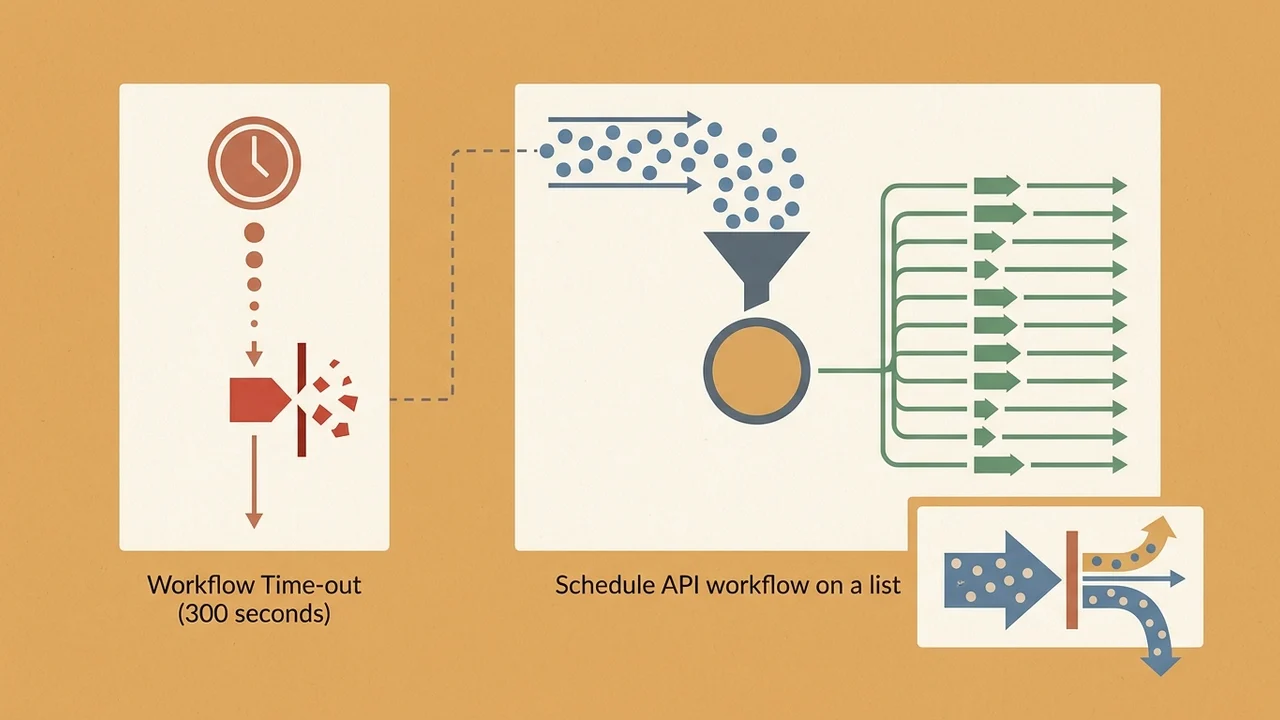
BIAIG pattern: (1) Bubble maintains canonical catalog lines (SKU, prompt version id, status, external job id). (2) External engine runs the batch (Apify, BulkImagen, or a Kive MCP loop outside Bubble or via a thin proxy). (3) Short workflows submit → poll or webhook → import URLs and metadata → persist to file fields or S3 before public URLs expire.
Hundreds of parallel SAWOL calls against one API risk Bubble throttling and vendor 429s; Bubble docs recommend scheduling intervals for external rate limits.
Prompt truth after Mixboard (Sept 28, 2026)
Mixboard went offline; documented export is a ZIP of board PNGs, not a structured prompt/asset catalog. If prompts lived only in Mixboard, post-shutdown versioning is a gap — inferring prompts from pixels is error-prone. Editorial thread: export prompts and assets before Bubble bulk catalogs via BIAIG. Store prompt_version / source_board_ref in Bubble even when the image came from a ZIP. A closer look: The ~500-row bulk-tools ceiling in. A closer look: The ~500-row bulk-tools ceiling in.
Sync-back: canonical fields
Suggested minimum (align with your app):
| Field | Owner during batch |
|---|---|
sku, catalog_line_id |
Bubble (pre-submit) |
prompt_text / prompt_version_id |
Bubble or sheet import — not inferred from PNG |
external_job_id, provider |
Bubble after submit |
status, model, aspect_ratio |
Import from results sheet / batch API / MCP status |
transient imageUrl → file |
Bubble after import |
Use a single writer per row during in-flight batches to avoid clobbering partial updates.
Spreadsheet-first vs BIAIG orchestration
Spreadsheet-first — fast ops edits, Apify {{Color}}/{{Product}} patterns; downsides include public sheet links (SKU/PII leak) and split truth between sheet and app.
BIAIG orchestration — multi-tenant Bubble catalogs, audit, per-row cost attribution; real catalogs exceed single-batch caps (BulkImagen 10–100; Apify marketing mentions up to ~1000 prompts — verify at runtime). Your import workflow merges partial results, not the vendor UI alone.

Kive — when products and presets already live in Kive; Bubble becomes system of record after generation, not the primary prompt editor.
Risks (short)
- Verify limits and pricing at run time; don’t trust marketing alone.
- Public result URLs — persist into Bubble storage; confirm vendor retention.
- Third-party Apify actor — terms change independently of Apify platform SLAs.
- Kive MCP spends workspace credits — govern unattended agent loops.
Open questions for your stack
Scout flagged: exact meaning of BIAIG in your repo, which integration is wired today, canonical sync-back fields, and whether Kive shipped bulk REST after March 2026 — verify docs independently.
Sources: Scout research packet (Apify actor & examples, Kive docs/news/MCP/Learn, BulkImagen site/API/pricing, OpenArt highlights, Bubble manual hard limits & bulk operations, Mixboard shutdown reporting and Google Labs blog). Internal editorial use only.