AI coding agents with Bubble: where agents stop and the visual editor starts
Bubble apps stay visually editable—not exportable source trees. A practical boundary: what ai coding assistants can draft (specs, connector JSON, tests, MCP scaffolding) versus what must stay in the editor—API Connector init, OAuth2, privacy rules, and deploy.
I wired ai coding tools and Bubble MCP into everyday Bubble editing and hit the same snag every time: who actually owns the write path. Bubble always produces one artifact—a visually editable app (elements, data types, workflows, API Connector collections)—not a deployable code repository. Until you agree on the system of record, agents can draft all day while live side effects still run through the editor. A closer look: AI coding for Bubble builders:.
Two official AI lanes in Bubble
- Bubble AI Agent runs in the editor: plan → approve → apply, sharing the Properties panel with manual edits (Bubble AI Agent, Edit apps with AI).
- Bubble MCP (beta, announced Oct 2026) lets external agents (Claude Code, Codex, Cursor with documented setup) invoke Bubble tools to create or edit apps—including API Connector, backend workflows, and privacy rules—within the signed-in collaborator’s permissions and plan limits (Bubble MCP). Worth reading next: bubble mcp claude and mcp.
Generic ai coding agents on git repos (e.g. Cursor Cloud Agents) excel at specs, OpenAPI/Postman JSON, payload examples, test plans, and documentation. They do not natively run or validate Bubble runtime unless you connect Bubble MCP or a human applies changes in the editor (Cursor MCP covers wiring and approval expectations).
Reasonably agent-safe work (draft / review)
- Translate third-party API docs into API Connector call drafts (URL, method, headers, body templates).
- Propose collection-level auth type (with caveats below).
- Write integration specs and acceptance tests.
- Generate sample, non-sensitive initialization parameters.
- Scaffold pages, workflows, and data types via Bubble MCP.
- Batch refactors described in plain language.
- Pull ticket/spec context while building.
Must stay human-controlled in the visual editor
1. API Connector initialization
Initialization sends a real outbound request to infer response fields. It can mutate live external data. Default parameter values land in app source unless marked Private—clear secrets after init (Adding calls, API Connector security).
MCP can create/update calls, but docs require initialization in the editor before responses are usable; request changes need re-initialization. I still run init myself in the editor—agents do not replace that step.
2. OAuth2 in API Connector
OAuth2 setup stays in the editor (MCP limitation per Bubble MCP).
3. Connector + workflow security posture
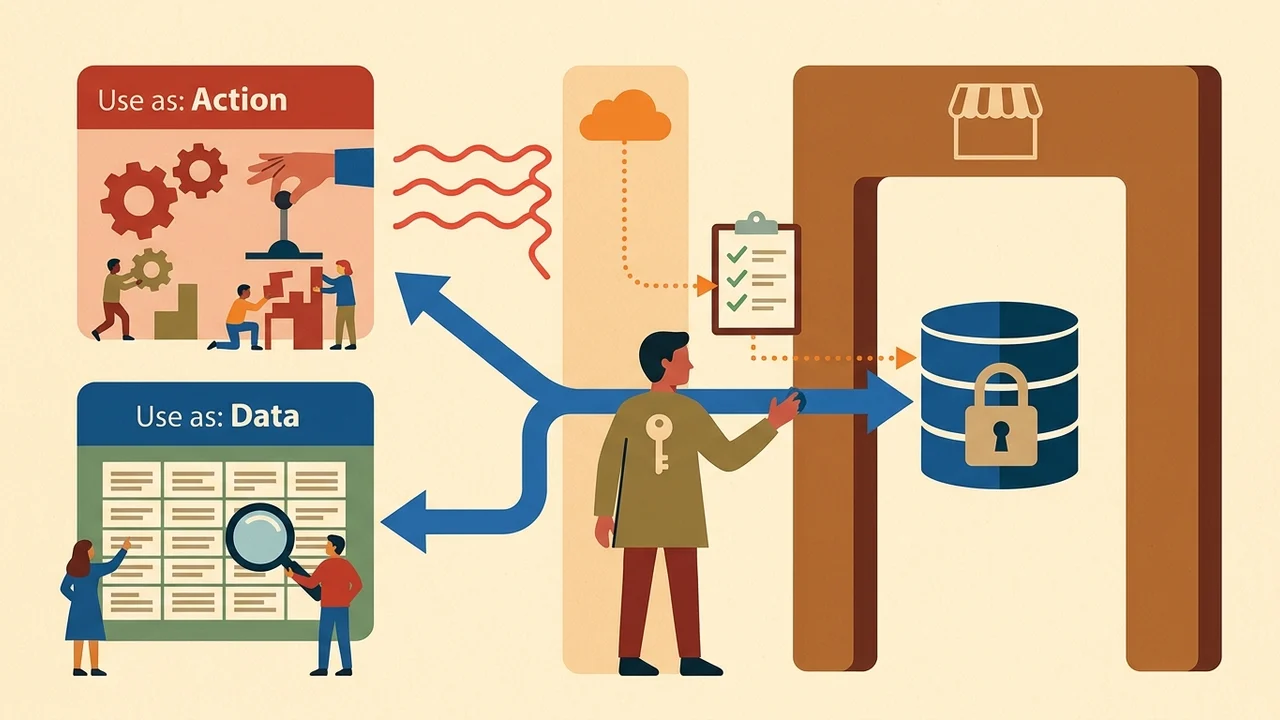
I choose Use as: Data vs Action, authentication method (the security dashboard flags risky data-call patterns), and whether sensitive calls run server-side with privacy enforcement (API Connector, planning app security).
4. Privacy rules and authorization
Privacy rules govern visibility, search, and API access, but workflow database writes are not fully constrained by view/search rules the way auto-binding is. Prefer server-side Only when conditions on workflows/actions (privacy rules, Workflow API privacy).
Ignore privacy rules when running the workflow is deliberate privilege escalation—agents should not enable it silently. Data API has separate Create/Modify/Delete-via-API toggles; admin tokens bypass rules (Data API privacy). Same topic: On-Model Bulk Create (100 products.
5. Production lifecycle
MCP cannot deploy or merge branches. Live data writes via MCP are restricted (dev read/write; live read-only per MCP permissions). Agents may leave unaudited dev-branch diffs until someone deploys (Introducing Agent 2).
6. Runtime verification
End-to-end connector behavior and workflow authorization still need editor testing, the issue checker, and optionally MCP query_logs. The Oct 2026 launch post said MCP “can’t read logs,” while current MCP docs list query_logs—I verify the live manual before I rely on either claim.
Practical handoff table
| Step | Owner | Notes |
|---|---|---|
| Spec + connector JSON draft | Repo / external agent | No secrets; acceptance tests included |
| Create/update call | MCP or manual | Confirm auth type |
| Initialize | Editor | Non-sensitive samples; strip secret defaults |
| Data vs Action + workflows | Editor | Only when on writes; avoid casual Ignore privacy rules |
| OAuth2 | Editor | — |
| Deploy / merge branch | Editor | Dev ≠ live |
Where agents stop: agents propose structure; the editor (plus init and security settings) owns side-effectful integration, permission models, and go-live. Initialized calls appear in workflows under API Connections (workflow actions).
Vendor framing (not a benchmark)
Bubble’s Bubble vs. Cursor AI comparison positions visual control vs engineer-first code—useful for the boundary thesis, not independent speed or accuracy scores.
Scout open questions
Automated API Connector init outside the editor, current Cursor ↔ Bubble MCP auth path (CIMD notes vs setup steps), and guardrails against agents enabling Ignore privacy rules or exposing Workflow API endpoints without matching auth—all worth re-checking against the latest Bubble MCP page at publish time.
ai coding assistants speed up drafts and docs; Bubble keeps initialization, OAuth2, privacy/authorization, and deploy under my control in the visual editor—fewer surprises in live APIs and databases.
Sources: Bubble MCP, Bubble AI Agent, The API Connector, Adding calls, Agent 2 launch, Cursor Cloud Agents, Cursor MCP.